

 You’ve slowly acquired the gear, you’ve bought the computer & software and you’ve spent the last couple birding seasons shooting like crazy. Now what? Not only do you need to locate and post-process some of your finest images, but what about safe photo storage with a reliable back-up strategy? These things are often thought of as secondary but if spending time going through very old images yields good results years later, there may be a flaw in your file management process.
To be clear, there are many processes for storing and searching files. A popular one today uses Adobe Lightroom (LR). However, these tips are intended for those that don’t use LR or are just looking for a simple file management system using your existing Windows functionality (also works well for Mac). Good images, no matter how old, should be easily reached at all times and stored in a way that is reliable and safe. Storing and managing images is like anything else. It starts with a well-thought out plan. Images need to be searchable, quick to bring up, and safe.
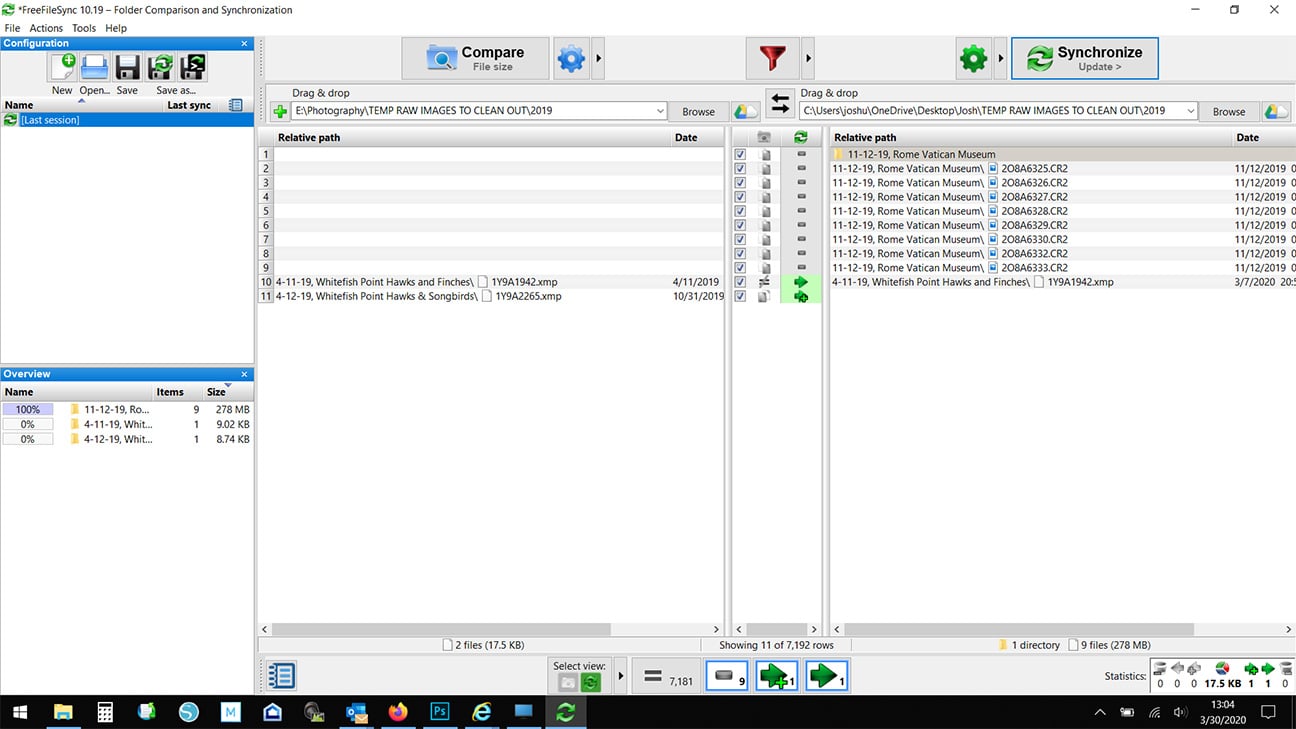
 One of the tried and true methods of storage I have been using for years involves using simple folder hierarchies within Windows. This costs nothing extra above the computer and storage (hard drives). Where to store the masses of images is the first step to this method. An easy solution would be two external hard drives. The basic premise is to store everything on one drive and then mirror that data on the second drive as a backup and store it off-site in the event that something drastic happens to your home. Then it takes a bit of commitment to ensure you update the back-up drive every few months to keep them close to matching at all times (three months is around what I target or immediately following an important trip or photo shoot). To make matching the drives easier, I use FREE software called FreeFileSync to use the computer’s power in comparing the drives and telling me where things are either missing or don’t match. I can either trust the computer to make decisions on where to make updates or make the updates manually. For FREE software, it’s darn useful.
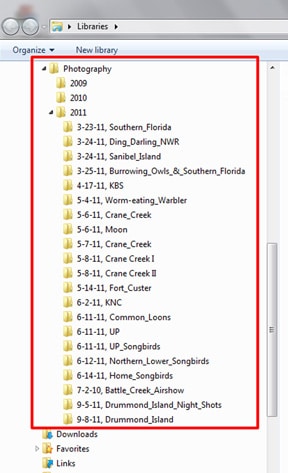
Now comes the hierarchy of folders: Think of this as a tree diagram. The top folder would be called “Photography,” while the next folders within would be named as years (ex. “2009”, “2010”, “2011”, etc.) Within those year folders would be more folders that would be titled with the date of shoot and a rough synopsis of the shoot (i.e. “5-4-11, Worm-eating_Warbler” or “3-17-12, Jasper Pulaski Sandhill Cranes, Northern Harriers and Song Sparrow”). Think of these folders as albums. Within that folder/album would be where all your images are actually stored from the particular shoot (see accompanying photo to see example structure). I also keep albums small so there may end up being mutliple “album” folders per day but one might have all shorebirds, another raptors and so on. This makes finding images of particular species or family much easier later.
When all said and done, keep things simple and use good titles for folders that are easily searched. If your current process isn’t working, ask around and find out what others are doing so you can make the decision on what process is best for you.